


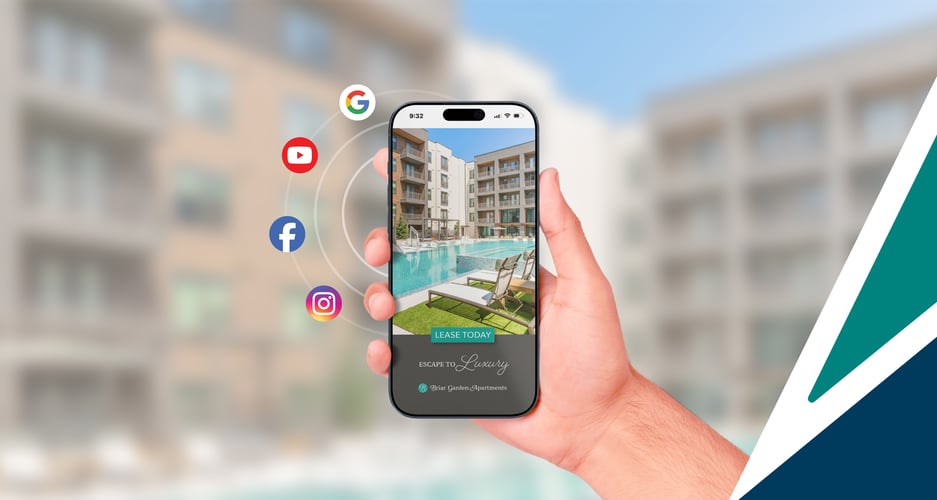
Before, digital advertising was a vague touchpoint in your everyday life—but now you're responsible for managing it for a single apartment community, and that's a different thing entirely.
If that feels intimidating, you're in the right place.
RentVision manages digital ads for thousands of apartment communities nationwide—from single-property owners wearing the marketing hat to teams shifting away from ILS-only strategies. This guide is built from working with operators just like you.
Here's the good news: You don't need to become an expert for ads to impact your leasing and revenue. You just need the right foundation.
That's what we'll help you build here. We're going to explain:
- How digital advertising works for apartments
- How ads influence renters during their search
- The platforms that create and capture demand
- The types of campaigns that support your leasing goals
- How to recognize whether your ads are working
Let's get started.
What is digital advertising for apartments?
Digital advertising for apartments is the process of running paid ads on platforms like Google, Meta, Bing, TikTok, and others, to promote your community's units, amenities, and location to prospective renters.
These ads appear as text, images, or videos in search results, social media feeds, and across the web. They work to connect your community to renters during critical moments of their search.
This matters because your community's demand doesn't stay constant. One day, you could be at 97% occupancy with things looking good. But the next day, five notices come in and you're facing projected vacancies in your 1-bedroom floorplan.
When you don't have enough tours or website traffic to address those vacancies, digital ads become most valuable—helping you generate the traffic you need to fill upcoming availability and maintain strong occupancy.
How do digital ads influence renters to make leasing decisions?
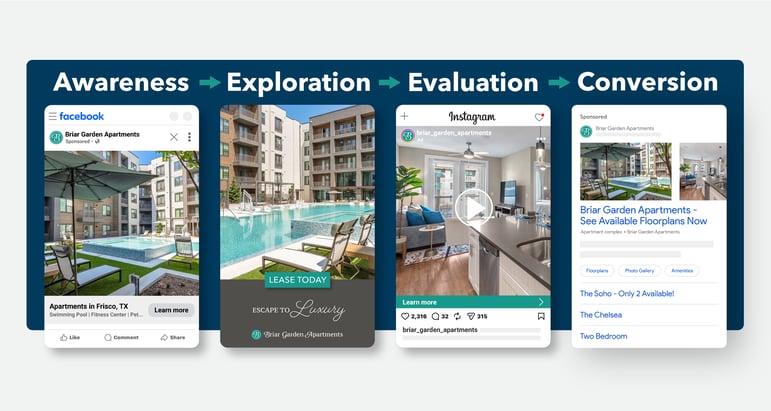
Renters don't follow a straight line from "I need an apartment" to signing a lease.
Weeks before they move, they're searching on their phones during lunch breaks, touring properties on weekends, comparing options across multiple websites and listings, and revisiting the process all over again.
Digital ads are the only marketing channel that can help you get in front of renters at every step in their search—whether they're casually exploring options, researching neighborhoods, or actively comparing communities. When your community's ad appears at the right moment, it can move your community to the top of their list.
→ How Digital Ads Influence Every Phase of the Apartment Search
How does digital advertising compare to ILS advertising?
Go to Google right now and search for your apartment community by name. In the Sponsored section at the top of the search results page, do you see an ad from Apartments.com or Zillow about your community? If you're coming from an ILS-only background, the answer is most likely yes.
Here's the issue: ILS ads may increase your visibility, but they they're working toward the ILS's goals more than yours.
ILS ads send renters to the listing page on their platform—not your community's website. You're paying premium prices to drive traffic to a listing that sits alongside your direct competitors, on a platform you don't control, where renters are still in exploration mode and less likely to make a leasing decision.
You're also locked into a static contract that delivers the same amount of leads regardless of your community's occupancy.
More apartment marketers are shifting budgets from ILSs to owned digital advertising because they work better at actively addressing their community's leasing needs.
What are the key digital advertising platforms for promoting apartments?
While there are multiple platforms available to advertise your apartment community, the two proven places to start with are Google Ads and Meta Ads. Each platform plays a different role in the renter journey, but they're highly-effective when utilized together—attracting their interest early, and capturing it when they're ready to lease.
Meta Ads build early awareness and future demand for your apartments.
Most renters don't start their search on Google—they start casually browsing, exploring neighborhoods, and getting ideas weeks before they type a specific search query. That's where Meta Ads come in.
Meta Ads appear across Facebook News Feeds, Messenger, Instagram, Stories, and Reels—all highly visual channels that work well for apartment marketing since renters want to see your community, floorplans, amenities, and lifestyle.
Meta targets ads based on behavior and prior engagement. When renters engage with apartment-related content—like a friend's video about moving, neighborhood guides, or community profiles—Meta identifies those patterns and shows your ads to similar users.
Meta Ads aren't designed to drive the same immediate, high-intent traffic that Google Search does. But they're essential for reaching renters before they even know what to search for—and keeping your community top-of-mind as they narrow their options.
That's how Meta and Google supplement one another in helping you generate demand and traffic for your community.
→ Why Meta Ads Belong in Your Apartment Marketing Strategy
Google Ads captures renters when they're ready to lease.
Google Ads allows you to show your community in Google Search results, on YouTube, and across the web.
These ads work best to reach renters who are actively searching. When they go to Google and search for "2-bedroom apartment in Austin" or "pet-friendly apartments in Austin," they've clearly declared their interest in the type of community they want in a specific location.
These renters are past the stage of casually browsing ILS listings—they're ready to evaluate finalists. When they search for a specific community by name or type and it matches and click your ad, they're already qualified and far more likely to schedule a tour, call your leasing office, or fill out an application.
When you need more traffic—whether you're facing upcoming vacancies or trying to fill a specific floorplan—you can increase your ad spend in Google Ads and start driving qualified renters to your website immediately.
→ Explainer: Google Ads for Apartments
What types of digital ads work best for marketing apartments?
Google and Meta offer various ad formats that support different stages of the renter journey.
Let's break them down to give you an idea of the types of ads you'll need to build out your community's presence.
Search ads
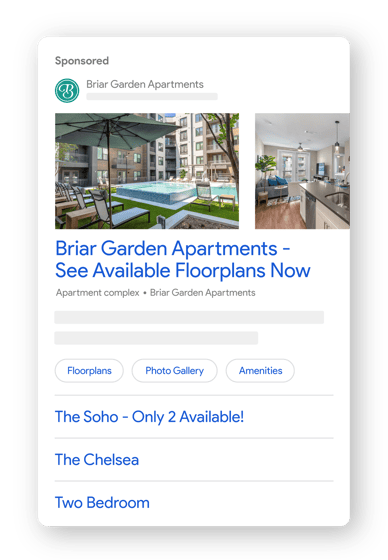
Search ads appear when renters actively search for apartments on Google. These are text-based ads that typically feature your community's name and other details matching the renter's search query—making them highly relevant to what renters are looking for.
Display ads
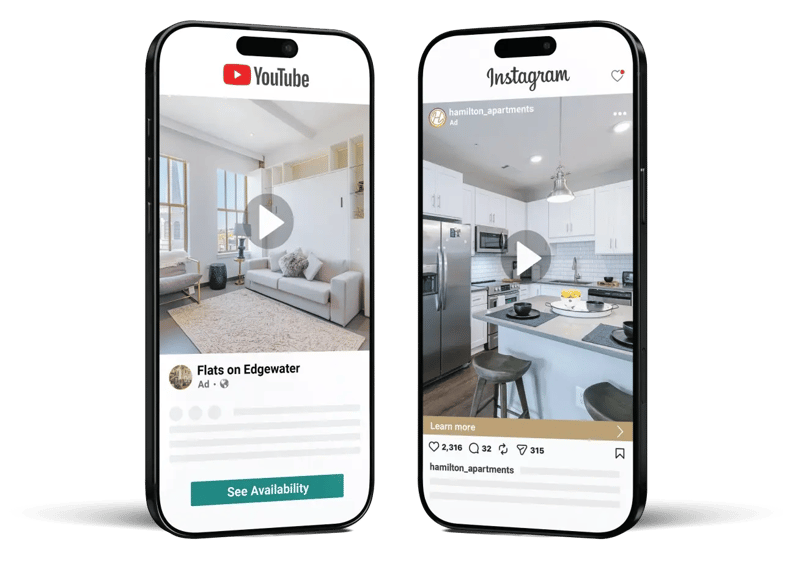
Display ads use photos and videos to build awareness and showcase your community visually. They're the type of ads you're most accustomed to in your own browsing experience—appearing on Facebook and Instagram feeds, before or during YouTube videos, in Stories and Reels, and across millions of websites.
Remarketing ads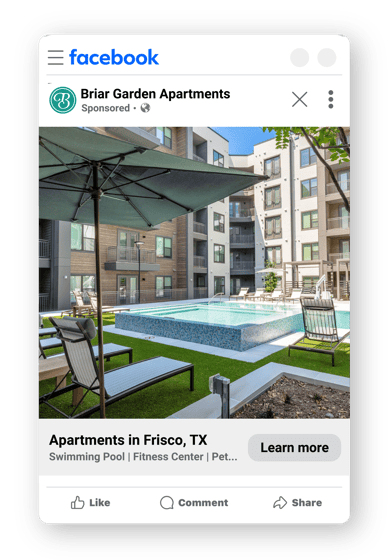
Remarketing ads use the same photo and video formats as display ads and appear across the same channels. These visual ads work to reinforce your community's identity and features to renters in the middle of their search and remind them of their initial interest as they evaluate other options.
What digital ad campaigns should your community use?
A campaign is a group of ads designed to achieve a specific goal.
Need to fill 2-bedroom vacancies? Could you use some additional traffic during a slower season? You can design an ad campaign to address each specific objective.
There are three types of campaigns that are common for single communities:
Community Campaigns
Community campaigns promote your property as a whole.
On Meta, community campaigns use display ads to build awareness by showcasing your community's identity, location, amenities, and lifestyle to a broader audience.
On Google, community campaigns target general search queries like "[community name] apartments," "apartments in [neighborhood]," or "luxury apartments in [city]" to renters actively looking in your area, increasing traffic to your website.
Bed Count Campaigns
Floorplan campaigns are ads built specifically for each layout your community offers. They're used to support a floorplan that has more current or upcoming availability compared to others in your community.
These campaigns are primarily tied to keyword targeting in Google Ads, ensuring an ad appears when renters search for specific layouts like "2 bedroom apartments in [city]." They also work best when the ads direct clicks to a floorplan-specific page on your community website.
Remarketing Campaigns
Remarketing campaigns target renters who have previously visited your website or interacted with your ads—but haven't scheduled a tour or submitted an application yet.
These campaigns can run on both Google and Meta, but they're especially effective on Meta—which offers multiple visual ad placements that keep your community top-of-mind as renters evaluate options, the most competitive moments of their search.
How do I know if my community's ads are actually working?
Once your ads are live, it's critical to stay on top of their performance at addressing your community's leasing needs.
When managing ads on your own, it's easy to get caught up in how much traffic or visibility your ads are generating. But more eyeballs and more visitors don't automatically translate to more leads or leases—a common misconception when you're just getting started.
Surface-level metrics—like impressions, clicks, click-through rate (CTR), or cost-per-click (CPC)—provide some context into how your ads are performing. But alone, they don't tell the full story.
For example, you might spend $1,000 on ads that generate 425 clicks—a CPC of $2.35, which seems successful compared to benchmarks. But if only 2 of those clicks convert to leases, each lease costs you $500 in ad spend.
The CPC looked fine, but the real problem is somewhere downstream. Maybe your ads reached renters who weren't a good fit for your community. Maybe your website couldn't convert qualified visitors. Maybe your floorplans didn't match what renters were searching for. Surface metrics won't tell you which.
What matters most is whether your ads reach the right renters—and whether those renters engage with your community's website. Are they bouncing immediately, or are they finding the information they need to schedule a tour, call your leasing office, or submit an application?
→ How to Evaluate the Performance of Multifamily Digital Ads
What should my budget be for my apartment community's digital ads?
So, the big question: how much do you need to be prepared to spend on your digital ads?
First, spending more on digital ads doesn't guarantee leasing success. Higher budgets give your ads more visibility and allow Google and Meta to test which combinations of placements, ad types, and creative work best—but you need to monitor if you're still reaching the right renters and that those renters are converting.
When setting your budget, you should factor in your property's class, unit count, and current need for traffic or awareness.
Larger, luxury-class communities typically need higher budgets because they face more competition from similar properties, usually pay higher cost-per-click in premium markets, and need more consistent traffic to fill more units.
Meanwhile, communities with fewer units or lower turnover (common for C-class properties) can achieve results with smaller budgets since they need less volume to maintain occupancy.
To give you a benchmark, we analyzed client budgets from March 2025 to March 2026—showing how spending varies by property class and unit count. In the supporting article below, you'll see benchmark ranges so you can see where your community fits.
→ How Much Do Multifamily Digital Ads Cost in 2026?
Building a strong foundation for your apartment's digital ads.
It's understandable to feel a little intimidated when you're starting out with digital ads—especially if you're coming from property operations or ILS-heavy marketing.
But you don't need to master everything right away; you just need the right foundation. That means understanding how digital ads work, which platforms, ad types, and campaigns reach renters at different stages of their search, and measuring performance.
With this foundation, you'll be equipped to make informed adjustments so your ads deliver the demand and leasing outcomes your community needs—whether you manage it yourself or work with a partner who can help.
As your responsibilities expand, however, the challenges of managing ads become greater. Bookmark our advanced guide, Why Digital Advertising for Multifamily Portfolios Requires a Different Strategy, when that time comes.